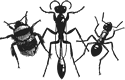


A small black solitary wasp. Identification keys are given in Yeo & Corbet (1995), Lomholdt (1984) and Richards (1980).
Most recently added content
Submitted by Anonymous on
,
Disagreement exists considering the definition of this name. Linsenmaier (1997) treats this taxon as a subspecies of C. ignita. Kunz (1994) considers C. impressa to be a synonym of C. ignita. Morgan (1984) regards C. impressa as a separate species from C. ignita. Here it is meant in the sense given by Morgan (1984).
Submitted by admin on
,
There are several special types of content that have specific functionality and are described elsewhere (e.g. news, diary events). If you want to create a general purpose content page instead, select Content management > Create content on the menu. You are presented with a list of different types of content. The general purpose ones all start with Page and are followed by a numbering system where relevant. The numbering system reflects the number of columns for each row, for example Page 2 + 1 + 1 indicates a page… Read more
Submitted by admin on
,
To create events in the diary, select Content management > Create content > Diary Event from the menu and fill in the fields as follows:
Title: fill in a brief title of the event.
Description: provide a full description of the event.
Display Date: fill in the date as you would like it displayed. This does not need to be a 'true' date, for example you could have a field trip with a display date of "Week beginning 17th June".
Sort Date: select the date of the event or the start of… Read more
Submitted by johnvb on
,
If a part of the taxonomic hierarchy has been inadvertantly moved to the wrong place in the taxonomy (probably due to an incorrect import), then reimporting a single species from the incorrect branch should correct it as long as the imported species has the correct family & subfamily information and is imported into the correct content type (ants, bees or wasps). You can also do this manually. From the menu, select Content management > Taxonomy > List. Click the list terms link for the Taxonomic Hierarchy vocabulary. To make… Read more